Most Copilot feature announcements I read the way I read a release note: skim the capability list, note what changed, move on. Microsoft 365 Copilot Cowork was the first one in a while that made me stop and read the developer documentation twice. Not because of what it does — the "it sends your emails and builds your decks" story is everywhere — but because of what sits underneath it.
Chat assistants describe work. Cowork does it. That shift is the headline, and it is real. But the part worth an architect’s attention is the extensibility model: Cowork adopts an open skills standard, runs a multi-model architecture, and packages capability as standard Microsoft 365 app packages. Read that way, Cowork is less a product and more a distribution channel for agent capabilities you may already have built.
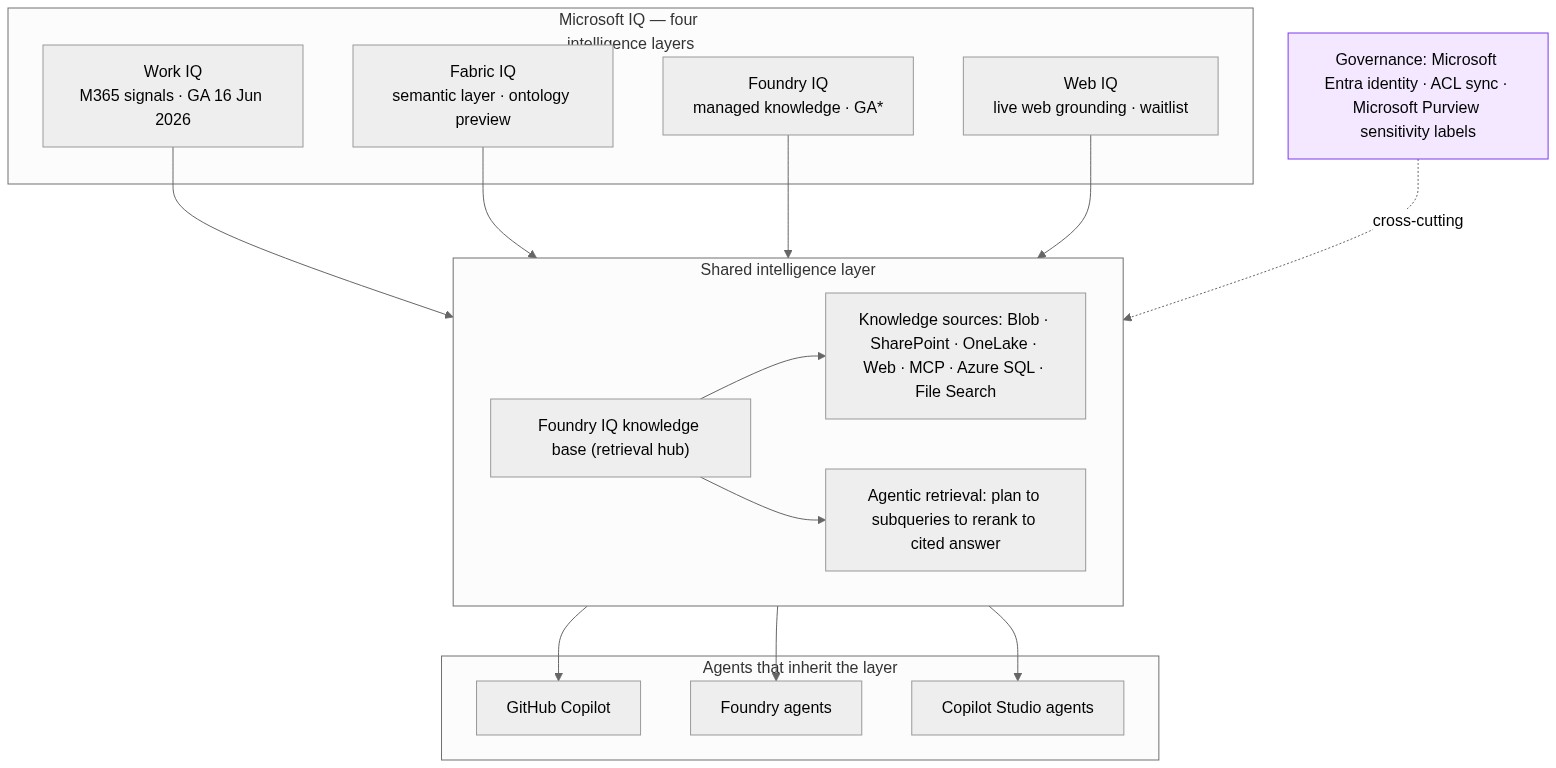
This post is a companion to my Microsoft IQ pillar post — Cowork is the most visible consumer of Work IQ to date. Here I want to cover the architecture, the extensibility model in detail, and what is worth doing (and not doing) with it while it is still preview.
What Cowork is — and the preview status everyone keeps getting wrong
Copilot Cowork carries out tasks across your Microsoft 365 environment rather than just answering questions about them. It drafts and sends email through Outlook, schedules meetings and manages your calendar, creates Word, Excel, PowerPoint, and PDF files, posts to Teams channels and chats, searches across your organisation, runs deep research, and can run prompts on a schedule for recurring work. Every step is visible in the conversation as it happens.
The control model is the important design choice. Before any sensitive action — sending, posting, creating — Cowork pauses and asks. Medium- and high-risk actions carry a risk-level indicator. The approval button is labelled for the specific action (Send, Post, Create), and you can pause, resume, or cancel at any point. Microsoft announced Cowork on 9 March 2026 and made it available through the Frontier preview programme; it runs in the browser at m365.cloud.microsoft, in the desktop app for Windows and Mac, and — since the May 2026 update — on iOS and Android through the Microsoft 365 Copilot app.
Here is the correction worth making early, because some third-party coverage has it wrong: Cowork is not generally available. Several write-ups have claimed a GA milestone. The Microsoft Learn documentation says the opposite, on every page, in a banner: this is prerelease documentation, the feature is in Frontier preview, and capabilities may change. Your admin account also has to be Frontier-enrolled (Copilot → Settings → Frontier) or Cowork will not even appear in Admin Center agent management. Treat anything you read about Cowork being "shipped" with that banner in mind.
The architecture underneath
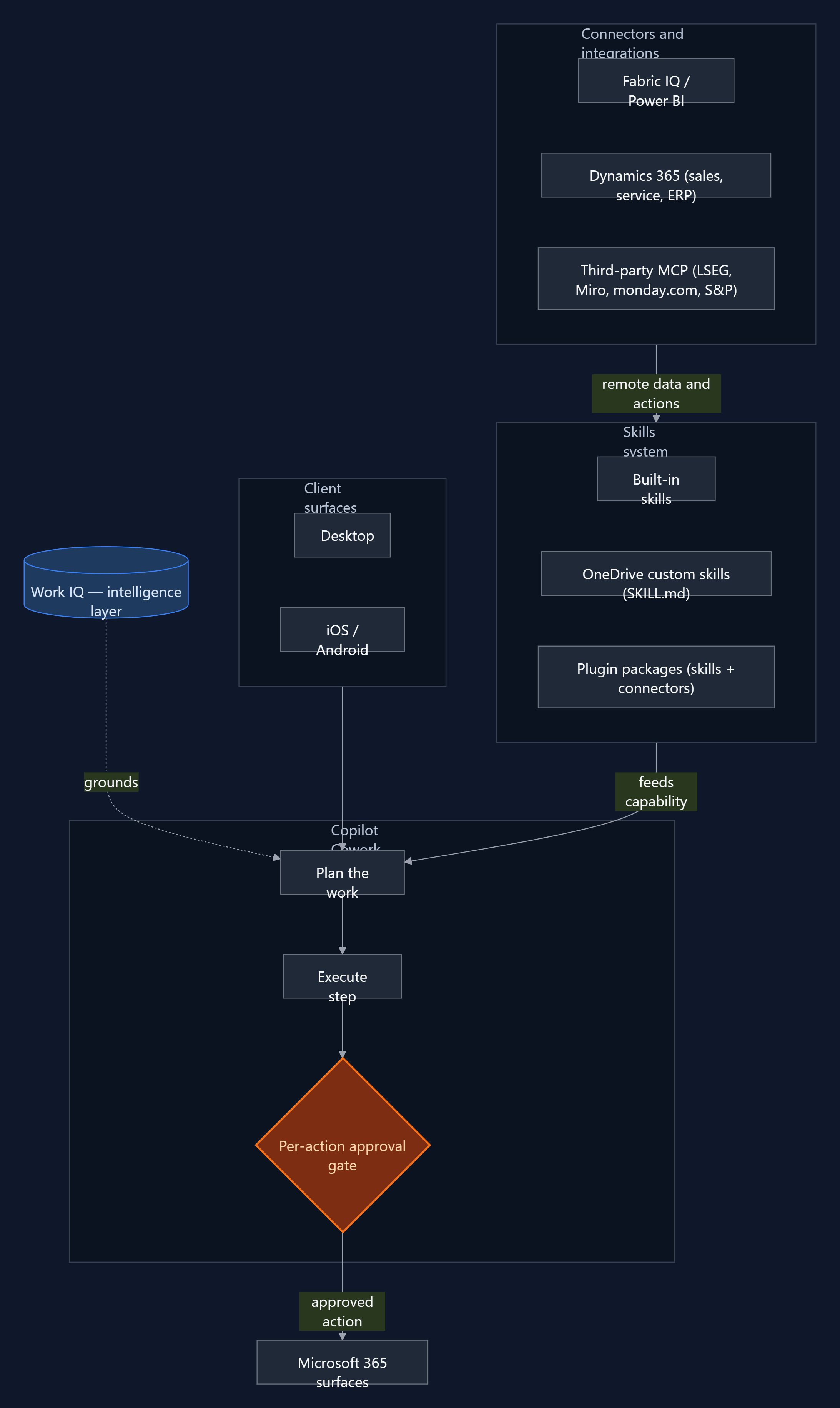
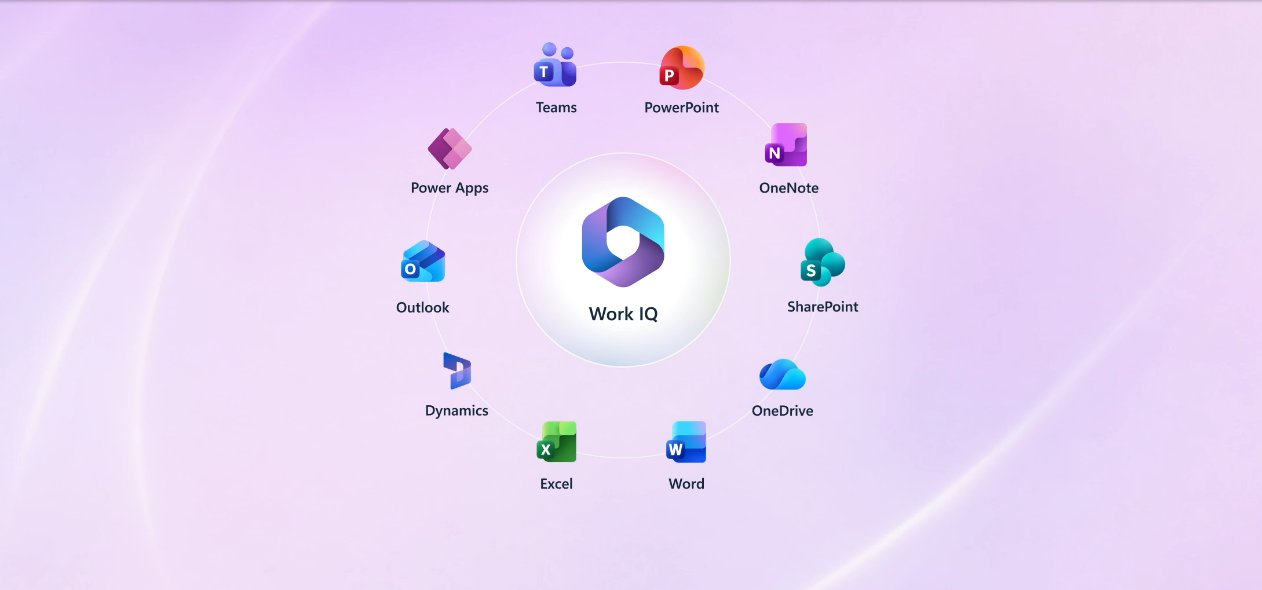
Cowork is built on Work IQ. The documentation is explicit that it "browses your entire Work IQ" to pull in the content it needs — emails, meetings, messages, files, and data across Outlook, Teams, Excel, SharePoint, and the rest of Microsoft 365. That grounding layer is what lets the agent act with context rather than starting cold from a prompt. If you want the deeper treatment of what that intelligence layer is and what it changes, that is the subject of the IQ pillar post.
The second architectural fact is that Cowork is multi-model. It uses Microsoft’s own models alongside Anthropic’s Claude — the model selector currently exposes Claude Opus 4.7 as an option, and Microsoft documents that it uses Anthropic models as a subprocessor. One consequence that belongs in your governance notes: access to the Anthropic models is limited to Anthropic-supported regions, and Cowork is not exempt from that restriction. If your tenant spans regions, verify coverage before you assume availability.
The third fact — the one that carries the rest of this post — is that the unit of capability is the skill. Cowork ships with built-in skills (Word, Excel, PowerPoint, PDF, Email, Scheduling, Calendar Management, Meetings, Daily Briefing, Enterprise Search, Communications, Deep Research, and Adaptive Cards), and it loads them dynamically during a conversation, showing you which are active in a side panel. Everything you can add to Cowork is expressed as a skill or a connector. So the extensibility model is the architecture that matters.
The extensibility model
There are two tiers, and they map cleanly to two audiences.
Tier one: OneDrive custom skills (no-code)
Any user can create up to 50 custom skills by dropping a SKILL.md file into a subfolder of their OneDrive at /Documents/Cowork/skills/<skill-name>/SKILL.md — for example /Documents/Cowork/skills/weekly-report/SKILL.md. Cowork discovers them automatically at the start of each conversation. A skill is a YAML frontmatter block (a name and a description) followed by a Markdown body of instructions: structure, tone, the steps you want followed, the output format you expect. No deployment, no packaging, no admin involvement. This is the path to test the model on a real recurring task this week.
Tier two: plugin packages (skills + MCP connectors)
The developer path uses the same distribution mechanism as Teams apps, Copilot agents, and Office add-ins: the Microsoft 365 app package. A Cowork plugin is a .zip containing a manifest.json (unified manifest v1.28), the two app icons, and a skills/ folder. It can carry two extension types. Skills are the prompt-based workflows already described. Connectors are remote MCP servers that give Cowork access to external data and APIs — Streamable HTTP over HTTPS (TLS 1.2+), JSON-RPC 2.0 message format, and support for tools/list and tools/call. The package limits are firm: a maximum of 20 skills and 10 connectors per package.
Packages are distributed through the Microsoft 365 App Store (submitted via Partner Center) or deployed by an admin. Connector credentials never live in the manifest or the skill files — they reference the Microsoft Enterprise Token Store, using OAuthPluginVault for OAuth 2.0 APIs or ApiKeyPluginVault for API-key services, with the secret held in the vault and only a reference ID in the package.
The Agent Skills open standard — and the Claude conversion path
This is the detail almost no one is covering properly. Cowork’s skills are not a proprietary Microsoft format. They use the Agent Skills open standard — the same SKILL.md format supported by Claude Code, Claude.ai projects, Visual Studio Code and GitHub Copilot, Gemini CLI, Cursor, JetBrains Junie, OpenAI Codex, and, per Microsoft’s own count, 30+ other AI tools. The skill text you write for one is the skill text you can use across all of them.
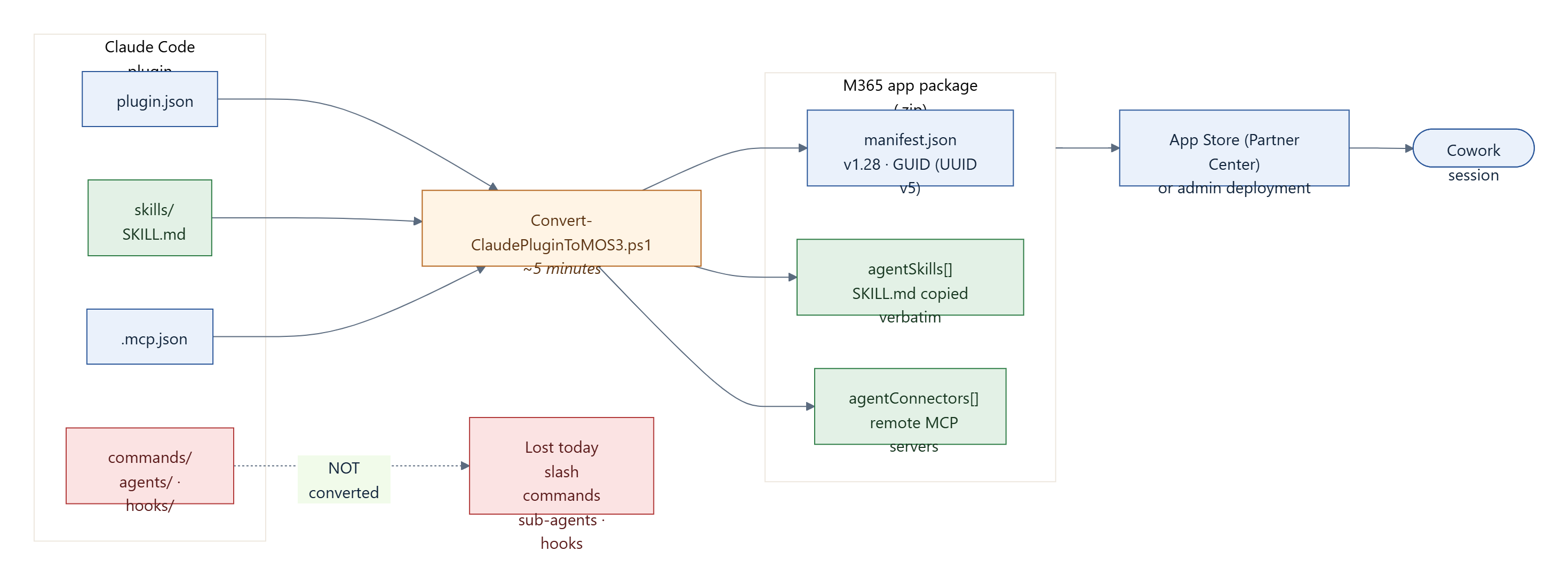
Microsoft leans into this with a PowerShell conversion script, Convert-ClaudePluginToMOS3.ps1, that turns an existing Claude Code plugin into a valid M365 package — Microsoft quotes roughly five minutes. It reads the plugin’s .claude-plugin/plugin.json, its .mcp.json, and its skills/ directory and emits a .zip with a generated manifest. The mapping is clean, but it is not complete. What converts and what does not is worth keeping in front of you:
| Claude plugin artifact | M365 equivalent | Status |
|---|---|---|
plugin.json | manifest.json | Name, description, author mapped; GUID auto-generated (deterministic UUID v5) |
skills/*/SKILL.md | agentSkills[] + skills/ folder | Copied verbatim — identical format |
.mcp.json servers | agentConnectors[] | URL and auth type autodetected |
commands/ (slash commands) | — | Not yet supported |
agents/ (sub-agents) | — | Not yet supported |
hooks/ (event handlers) | — | Not yet supported |
Skills copy across verbatim and MCP servers map to agentConnectors. Slash commands, sub-agents, and hooks do not convert. Hold that thought — it matters for the "portability" claim later.
How a skill is loaded — the three-layer context model
The skill format is designed around a context budget, and understanding it is the difference between a skill that triggers reliably and one that quietly never fires. The system loads a skill in three layers:
| Layer | When loaded | Target size |
|---|---|---|
| Frontmatter (name + description) | Always — at startup | ~100 tokens |
SKILL.md body | When the skill triggers | Under 5,000 tokens (1,500–2,000 words) |
references/ | On demand, by the agent | Unlimited |
scripts/ | Executed, not loaded into context | N/A |
The frontmatter is always resident, so the description is doing real work on every conversation. The body loads only when the skill triggers. References are pulled in when the agent decides it needs them, and scripts are run rather than read into the window at all. Each skill can carry up to 20 companion files, 5 MB each, 10 MB total. Keep the body lean and push depth into references/.
One gotcha causes more failures than any other, and Microsoft says so directly: the folder name must match the name field in the frontmatter, exactly. skills/contract-analysis/SKILL.md with name: contract-analysis works. The same folder with name: ContractAnalysis does not. Kebab-case only — lowercase alphanumerics and single hyphens, no underscores, no leading or trailing or consecutive hyphens. If a skill never activates and you have ruled out the description, check this first.
The connector surface is widening fast
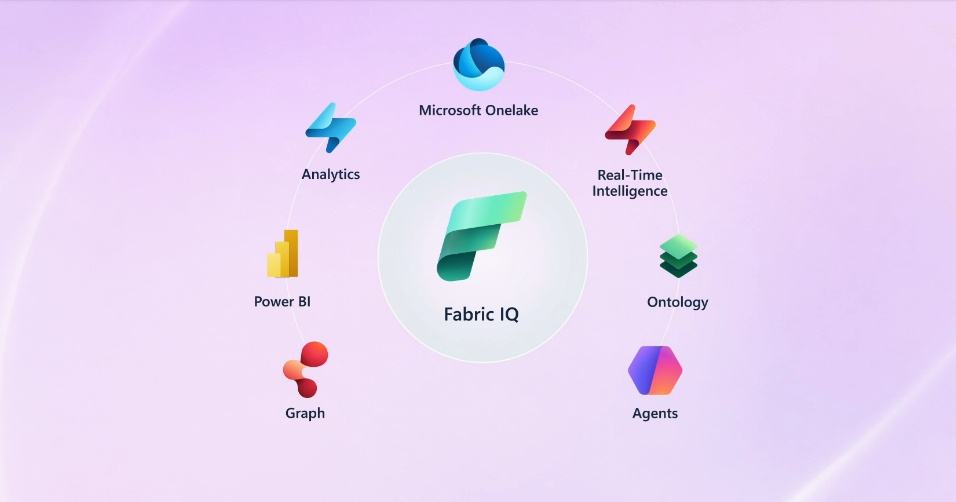
The May 2026 update makes the distribution-channel framing more concrete. Microsoft is shipping native integrations into Cowork — Fabric IQ with Power BI for data, and Dynamics 365 across sales, customer service, and ERP for scenarios like pipeline reviews, case resolution, and order approvals — alongside connectors to third-party systems including LSEG, Miro, monday.com, and S&P Global Energy. Cowork has also moved onto iOS and Android, so a delegated task can run in the cloud while you are away from your desk.
Two things follow for architects. The reach is broadening quickly, which strengthens the case for treating Cowork as a delivery surface rather than a destination. But the pace also reinforces the preview caveat: Microsoft describes itself as “still early and moving fast,” with capabilities rolling out continuously. A connector that exists this month is not a contract for next month — verify availability against the live docs before you design around any specific integration.
Governance and control
The governance story is reassuringly standard, because Cowork reuses the Microsoft 365 controls you already operate. Cowork inherits the signed-in user’s Entra identity and permissions — it can only reach files and mail the user can already reach. Admins get tenant-level allow and block lists, can deploy plugins on behalf of users, and can apply compliance policies. When a plugin is revoked, its skills and connectors are removed from the user’s session on the next sync; active conversations are not interrupted, but new ones lose the capability.
Two things to note on the current preview surface. Purview sensitivity labels are surfaced in responses and citations, showing the highest-priority label across the data used — useful, but a display behaviour rather than a full enforcement story yet. And the May 2026 update brought Agent 365 integration, which is how Microsoft intends Cowork to come under enterprise observability, security, and governance through a single control plane. That integration is the direction of travel; it is not a substitute for verifying what is actually auditable in your tenant today.
Where this falls short today
It is preview, and the documentation is explicit that capabilities may change. That is not a disclaimer to skim past. Do not build production process dependencies on a Frontier preview feature whose behaviour Microsoft reserves the right to alter. The correction on the false GA claims matters precisely because someone, somewhere, is about to wire a business process to this on the assumption that it has shipped.
Per-action approval is the right default and a real friction at the same time. Human-in-the-loop on every send and post is exactly what enterprise governance requires. It also caps the autonomy story. A "delegate and walk away" workflow that pings you eight times for approval is supervised execution, not delegation — and that is fine, as long as you are honest about which one you are buying. There is a "don’t ask again" option, scoped to the current conversation, and an "Approve All" for batching pending approvals; both move risk from the system to the user, and that trade should be a conscious choice, not a reflex click.
Skill triggering is probabilistic, not configured. The description field is how the agent decides whether to activate a skill, which makes activation reliability a prompt-engineering problem rather than a guarantee. The docs push explicit trigger phrases ("use when the user asks to…") for exactly this reason. Anyone who has run function-calling agents in production will recognise the failure mode immediately; in my own work, intermittent tool selection was consistently the hardest class of bug to reproduce, precisely because it was non-deterministic. Plan for it: write specific descriptions, name your connector tools explicitly in the skill body, and measure activation rather than assuming it.
The open standard cuts both ways. Adopting Agent Skills is genuinely good — portable skill text, no proprietary lock-in on the part that holds your domain logic. But the conversion is lossy today: slash commands, sub-agents, and hooks do not come across. And the manifest, the store review process, and the Enterprise Token Store are all Microsoft-specific. Portability of the skill text is not portability of the whole solution; the wrapper stays platform-bound even when the contents travel.
Finally, cost clarity is thin. Cowork requires a Microsoft 365 Copilot licence and Frontier enrolment, and the consumption implications of agentic execution at scale — an agent that plans, calls tools, and acts across many steps — are not yet documented. This is the question to take to your account team before any pilot grows into something people depend on.
What I’d do this month
Concrete and bounded. Enrol a sandbox tenant in the Frontier programme so you are evaluating on real infrastructure rather than reading about it. Write one OneDrive custom skill for a genuine recurring task — a weekly status roll-up, a standard document format — and then measure how reliably it triggers across a dozen real prompts, not how well it works once when you phrase the prompt perfectly. That single measurement tells you more about production-readiness than any feature list.
If you already maintain Claude Code skills, run the conversion script against one and inventory exactly what is lost — the slash commands and hooks you relied on will not survive, and it is better to know that now. And hold production dependencies until GA. Build familiarity, build a couple of skills, build an opinion. Do not build a process that breaks the next time Microsoft changes a preview behaviour.
Where Cowork sits in the bigger picture
Cowork is the most visible thing Microsoft has built on top of Work IQ, and that is the right way to read it. The execution capabilities will get the attention, but the durable architectural story is the combination underneath: an intelligence layer that grounds the agent, a multi-model engine, and an extensibility model that adopts an open standard and rides the existing Microsoft 365 distribution rails. For an architect, the question is not "what can Cowork do" — that list will keep changing through preview. It is "what is the unit of capability, and how does it travel." The answer, for once, is a portable, open-standard skill. That is worth studying now, even while the product around it is still moving.
References
- Copilot Cowork overview (Microsoft Learn)
- Use Copilot Cowork — skills, approving actions, controlling the conversation (Microsoft Learn)
- Copilot Cowork common questions (Microsoft Learn)
- Build plugins for Copilot Cowork (Microsoft Learn)
- Manage Copilot Cowork for your organisation (Microsoft Learn)
- Copilot Cowork: a new way of getting work done (Microsoft 365 Blog, 9 March 2026)
- Copilot Cowork: from conversation to action across skills, integrations, and devices (Microsoft 365 Blog, 5 May 2026)